


CheckIfReal
3.211.00 Reviews
App Specs
- Version
- 9.2.0
- Updated On
- License
- Free
- Downloads
- 50,000+
- Developer
- Authentic Vision GmbH
- Categories
- Libraries & Demo
- Platform
- Android
Screenshots
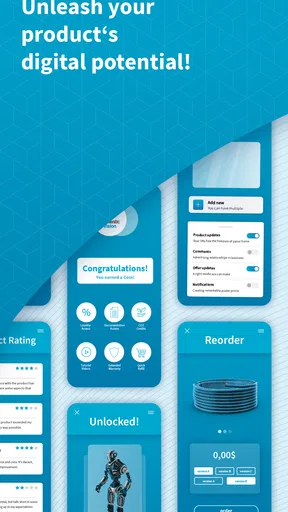
 Analysis by AppCompare
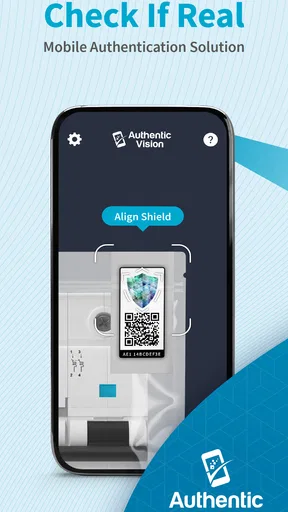
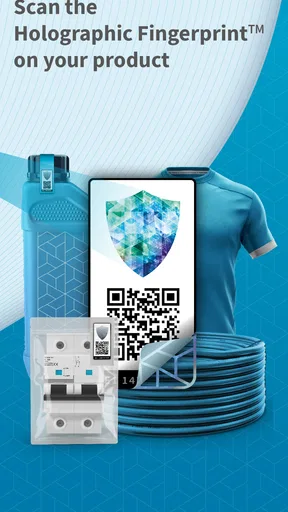
I’d approach CheckIfReal with one important expectation in mind: it is not a universal product scanner. Its job is to check products carrying an Authentic Vision security label, so the label is the starting point—not just a barcode, brand name, or convincing-looking package. That distinction makes the app more useful when you know what to look for and less helpful if you expect it to judge any item on sight.
That focused purpose is also what separates it from the usual alternatives. A general barcode scanner can identify a product or show related information, while a web search can turn up listings and opinions; neither approach, by itself, establishes that an item with this security label is genuine. I see CheckIfReal as a specific authentication step, not a replacement for checking a seller, receipt, condition, or return policy.
Before you scan, check for the label
The most practical first step is to inspect the product or its packaging for an Authentic Vision security label. If you cannot find one, there may be nothing for the app to authenticate. That is not a verdict that the product is fake; it simply means this particular verification route may not apply. Keeping that distinction clear can save you from treating a missing scan result as proof of anything.
I would also make sure the label is accessible and in reasonable condition before starting. If it is covered, damaged, or hard to reach, take a moment to position the item rather than repeatedly trying random scans. A calm, deliberate attempt is more useful than rushing through several unhelpful ones, especially when you are checking something in a shop or at a handover.
Make the first check useful
For a first attempt, choose a product you already have in front of you, rather than waiting until a high-pressure purchase. Open the app, follow its on-screen instructions for checking the security label, and read the result as a response about that label. This low-stakes practice helps you understand the flow before you rely on it while deciding whether to buy.
If you are checking a second-hand item, I would scan while the seller is present and before completing the transaction. Keep the listing, seller details, and any purchase documentation available separately. The app can add a useful authentication signal, but it does not replace those records or settle questions about the item’s condition, ownership, or whether the seller will accept a return.
What a result can—and cannot—settle
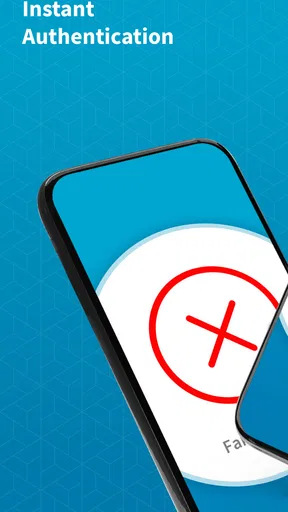
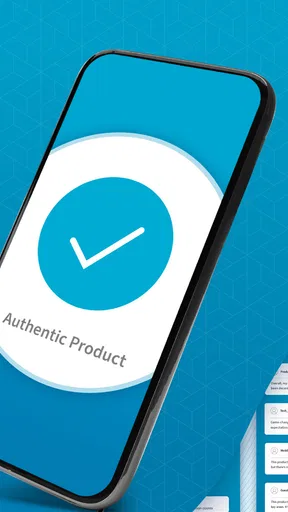
A successful check can make a purchase decision more informed, but I would not treat one app result as a guarantee about every aspect of a product. Authentication is only one part of buying safely. A genuine item can still be damaged, incomplete, misdescribed, or sold under terms you do not want, and a scan does not resolve those issues.
Worth Reading Before You Choose

EA SPORTS FC Mobile 26 Is a Bigger Football Game, but It Takes Time

Flipboard Shows What News Apps Must Do Beyond the Feed

Switching to Android Auto Means Rethinking Your Driving Routine

Google Calendar Makes a Crowded Week Easier to Manage

Ludo King Makes the Most of the Minutes Between Plans

Baby Panda World Brings Quick Play to Modern Phones, but Its Game Library Feels Busy
If a scan does not work, first check that you are using the security label the app is meant to read and that you can follow the app’s scanning guidance. If the label is absent or the result remains unclear, pause rather than guessing. Ask the seller for more information or use the retailer’s own support and return process. That approach is especially sensible for costly purchases where a quick phone check should be one piece of evidence, not the whole decision.
Who will get the most from it
I think this app makes the most sense for someone who encounters Authentic Vision labels during purchases, resale checks, or product handovers and wants a direct way to verify them. It is less compelling for someone who mainly wants broad product research, price comparisons, or scans of ordinary packages without that label. In those cases, a search engine, retailer information, or a standard barcode tool is likely to fit the task better.
For everyday use, imagine meeting a seller to collect a labelled item. Before paying, you locate the security label, run the check, and consider the response alongside the item’s condition and the seller’s documentation. If anything feels inconsistent, you can delay the purchase instead of letting the convenience of a fast scan push you into a decision. That is the most valuable role I see for the app: helping you ask a better question at the right moment.
CheckIfReal is a free app in the Libraries & Demo category, made by Authentic Vision GmbH. It has an Everyone age rating, and its current version is 9.2.0. The app has an average rating of 3.2 from around 160 ratings, with over 50,000 installs. I would read that reception as a reason to keep expectations measured: the app’s value depends on having the right kind of label to check, rather than on scanning every product you encounter.
Ever found yourself wondering if that designer watch or handbag you snagged at a discount is the real deal? Well, the CheckIfReal app is here to save the day. This nifty little tool promises to be your personal detective, digging into the authenticity of various products. I took it for a spin to see if it could truly help me outsmart counterfeiters. Here’s how it went down.
Getting Started with CheckIfReal
First things first, downloading CheckIfReal was a breeze. Available on both Android and iOS, it’s just a quick search away on your app store. Once installed, the user interface is clean and intuitive—nothing too flashy, but it gets the job done. Upon opening the app, you’re greeted with a simple tutorial that walks you through the main features. It’s straightforward and perfect for anyone who isn’t exactly a tech wizard.
You start by scanning the QR code or barcode of the product in question. The app then works its magic, accessing a comprehensive database to verify the item's authenticity. It’s like having a mini Sherlock Holmes in your pocket, minus the British accent.
Features That Stand Out
One feature that truly impressed me was the real-time verification. As soon as you scan a product, the app quickly sifts through its database and provides feedback in a matter of seconds. This is perfect for those moments when you’re on the brink of a purchase and need a quick thumbs up or down.
Moreover, CheckIfReal isn’t just limited to luxury goods. It covers a wide range of categories from electronics to cosmetics. This versatility makes it a handy tool for any savvy shopper concerned about getting what they pay for.
User Experience
Using the app feels like chatting with a well-informed friend. Its interface is straightforward, with no unnecessary bells and whistles. You’ve got your main tabs for scanning, history, and settings, all easily accessible. I particularly liked the history function, which keeps a record of your past verifications. It’s a neat way to track your purchases and see if any patterns emerge.
While the app does an excellent job with its primary function, I did notice that its success rate heavily depends on the quality of its database. In very niche markets, the app might struggle to find the necessary information. But for mainstream products, it’s pretty spot-on.
Extra Perks
Beyond just verifying authenticity, the app also has a community feature where users can share their experiences and tips. It’s a delightful addition that adds a bit of social interaction to the mix. Plus, it’s always reassuring to hear from other users who’ve walked a mile in your shoes—or in this case, scanned a similar product.
Security-wise, the app respects user privacy and doesn’t bombard you with intrusive ads or unnecessary data requests. That’s always a win in my book.
Final Thoughts
So, is CheckIfReal worth your time? Absolutely, especially if you’re someone who frequently shops for brands that are often counterfeited. While it may not completely eliminate the risk of buying knock-offs, it certainly stacks the odds in your favor.
In a world where counterfeits are becoming increasingly sophisticated, having a tool like CheckIfReal at your disposal is invaluable. It’s user-friendly, effective for most mainstream products, and adds an extra layer of security to your shopping experience. If you’ve ever doubted the authenticity of your purchases, give this app a whirl. Who knows, it might just become your new best friend in the shopping world.
Pros
- Easy to use interface for quick verification.
- Fast scanning with accurate results.
- Supports multiple barcode types.
- Offline mode available for on-the-go use.
- Regular updates with new features.
Cons
- Limited customer support options.
- Occasional scanning errors.
- Requires camera access permissions.
- Ads can be intrusive in free version.
- Some features locked behind paywall.
FAQs for CheckIfReal
What is CheckIfReal, and how does it work?
CheckIfReal is a mobile application designed to verify the authenticity of products by scanning QR codes or barcodes. It connects to a database that provides detailed information about the product, helping users determine if an item is genuine or counterfeit. This tool is particularly useful for consumers looking to avoid fake goods.
Is CheckIfReal available for both Android and iOS devices?
Yes, CheckIfReal is available for both Android and iOS platforms. Users can download the app from the Google Play Store or the Apple App Store, ensuring accessibility across a wide range of smartphones and tablets. This compatibility ensures that more users can benefit from its product verification features.
Does CheckIfReal require an internet connection to function?
Yes, CheckIfReal requires an internet connection to access its database and verify product authenticity. When you scan a QR code or barcode, the app communicates with its server to retrieve the necessary information. Therefore, a stable internet connection is essential for the app to function correctly and provide accurate results.
Is CheckIfReal free to use, or are there any in-app purchases?
CheckIfReal offers a free version that allows users to verify products without any cost. However, there may be in-app purchases or premium features available for users who wish to access advanced functionalities. It's advisable to review the app's pricing details on the respective app store to understand any potential costs involved.
How reliable is the product information provided by CheckIfReal?
The reliability of the information provided by CheckIfReal depends on the accuracy of the database it uses. The app aims to source data from reputable manufacturers and official channels to ensure authenticity. While generally reliable, users should still exercise caution and consider additional verification if they encounter any discrepancies.


